Multiline Text Outline GHPython
Download GH file
License: CC BY
본 파일은 자유롭게 사용, 수정 및 재배포가 가능하며 상업적 이용도 허용됩니다. 단, 활용 시 반드시 출처를 표기해 주시기 바랍니다.
©. PlusPlastic Inc. all rights reserved.
License: CC BY
You are free to share, copy, and redistribute the material in any medium or format, and to adapt/build upon it for any purpose, even commercially, as long as you give appropriate credit to the original creator.
©. PlusPlastic Inc. all rights reserved.
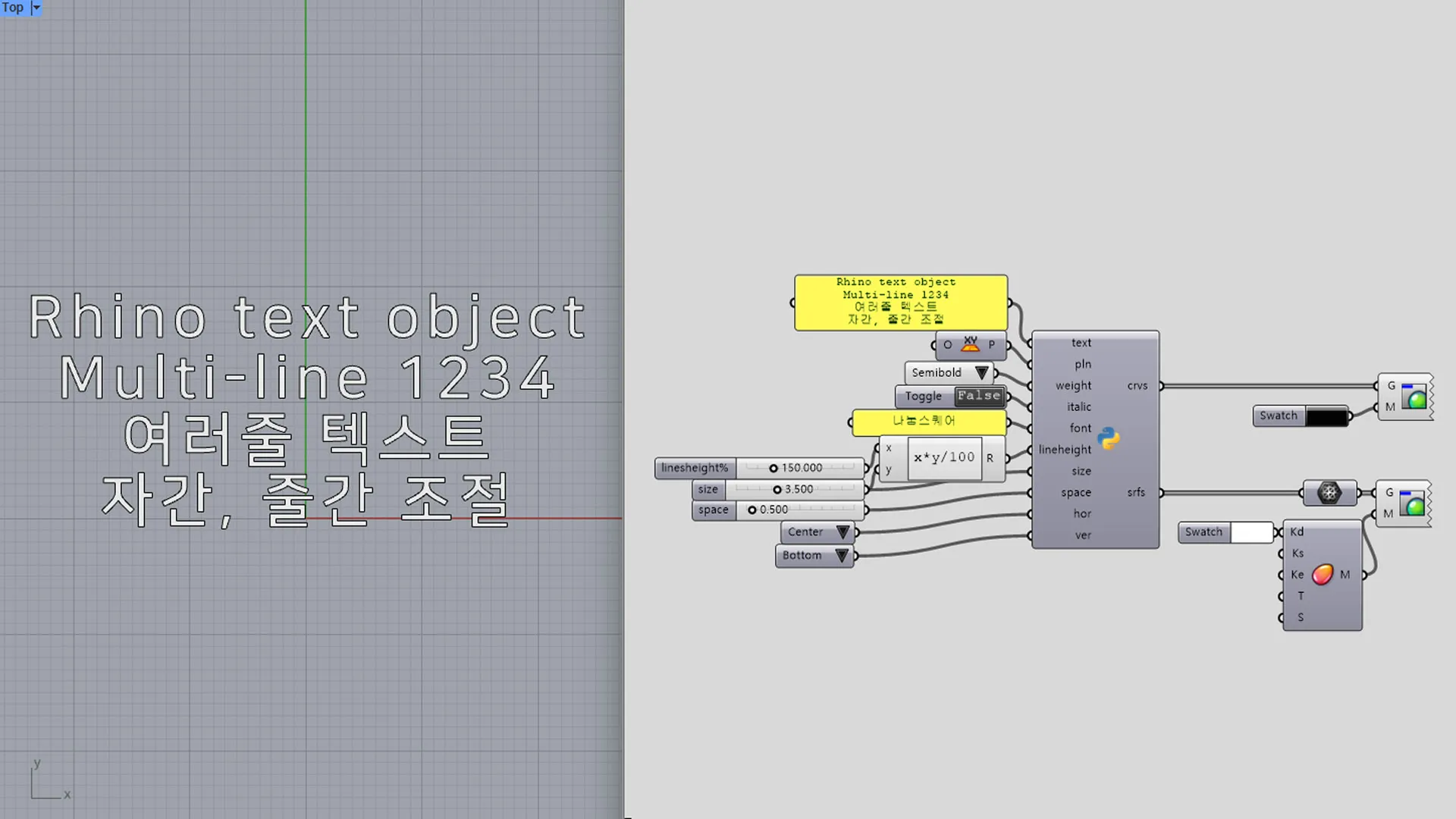
이 GHPython 스크립트는 라이노의 TextObject 명령어를 그래스호퍼 인터페이스로 가져온 도구입니다.
단순한 단일 행 텍스트를 넘어, 다회선(Multiline) 입력을 지원하며 이를 곡선(Curve)이나 물리적인 면(Surface)으로 변환합니다.
직관적인 수치 입력을 통해 텍스트의 배치를 정밀하게 제어합니다.
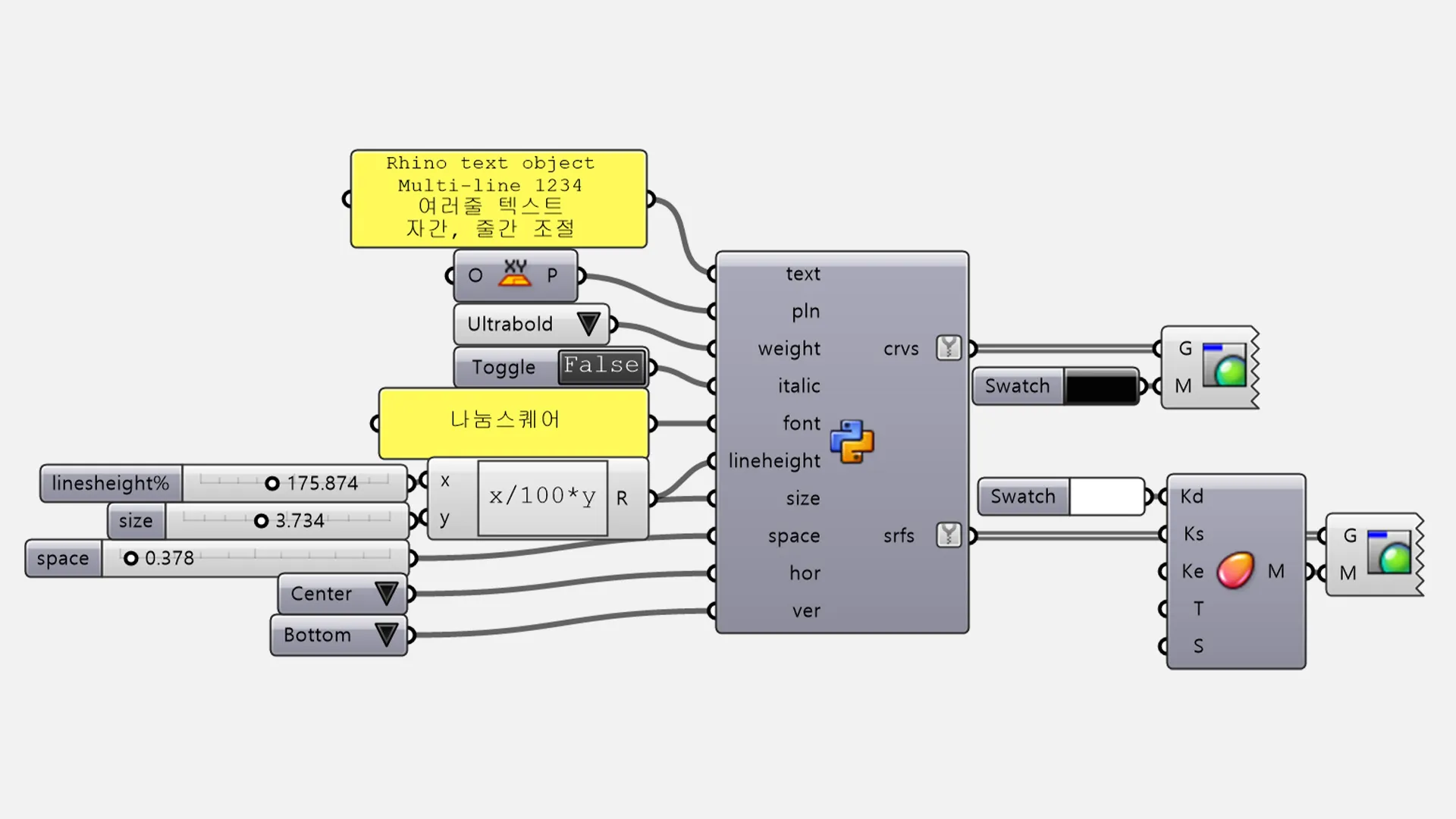
- Text: 다회선 입력을 지원하는 문자열 데이터입니다.
- Font face / Size / Space: 폰트 지정 및 글자 크기, 자간을 자유롭게 조절합니다.
- Bold & Italic: 'True/False' 스위치를 통해 굵게 또는 기울임 효과를 적용합니다.
- Pln (Plane): 텍스트가 생성될 기준 평면과 방향을 결정합니다.
- H-Align (가로 정렬): 0(왼쪽), 1(중앙), 2(오른쪽) 설정을 지원합니다.
- V-Align (세로 정렬): 0(상단), 1(중간), 2(하단) 설정을 통해 기준점 대비 배치를 최적화합니다.
This GHPython script is a tool that brings Rhino's TextObject command into the Grasshopper interface.
It goes beyond simple single-line text by supporting Multiline input and converting it into curves or physical surfaces.
It provides precise control over text placement through intuitive numerical inputs.
- Text: String data that supports multiline input.
- Font face / Size / Space: Freely system fonts, text size, and character spacing.
- Bold & Italic: Instantly apply bold or italic styles using 'True/False' toggles.
- Pln (Plane): Determines the base plane and orientation for text generation.
- H-Align (Horizontal): Supports Left (0), Center (1), and Right (2) settings.
- V-Align (Vertical): Optimizes placement relative to the base point with Top (0), Middle (1), and Bottom (2) settings.