Single Stroke Multiline Text GHPython
Download GH file
License: CC BY
본 파일은 자유롭게 사용, 수정 및 재배포가 가능하며 상업적 이용도 허용됩니다. 단, 활용 시 반드시 출처를 표기해 주시기 바랍니다.
©. PlusPlastic Inc. all rights reserved.
License: CC BY
You are free to share, copy, and redistribute the material in any medium or format, and to adapt/build upon it for any purpose, even commercially, as long as you give appropriate credit to the original creator.
©. PlusPlastic Inc. all rights reserved.
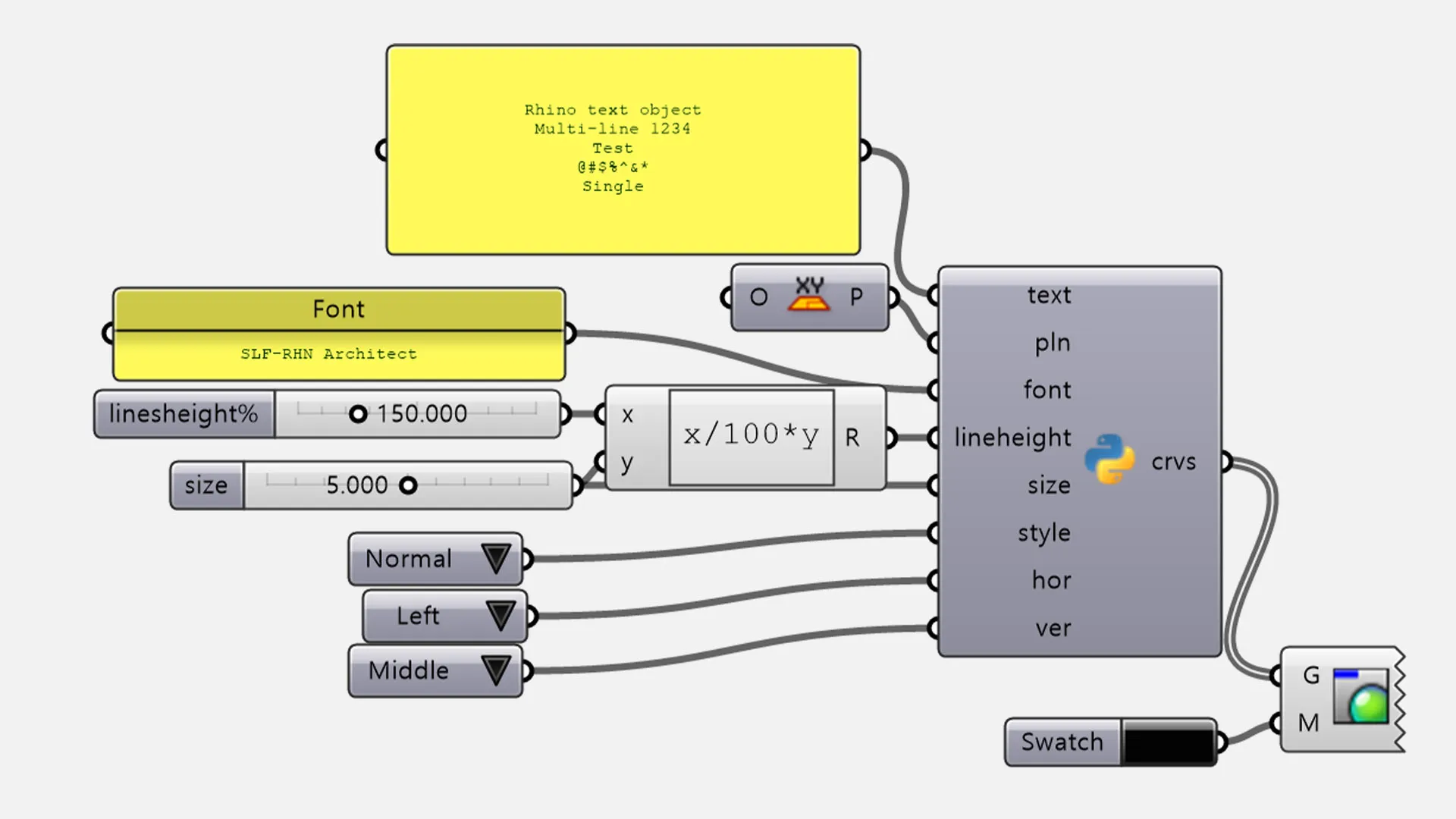
이 GHPython 스크립트는 Rhino의 TextObject 명령어처럼 텍스트를 곡선으로 만들 수 있는 스크립트입니다.
단순히 글자를 보여주는 것을 넘어, 레이저 커팅, CNC 조각, 펜 플로팅 등 실제 가공을 위한 단선(Single Stroke) 곡선을 다회선(Multiline)으로 생성하는 데 특화되어 있습니다.
- Text (String): 생성할 문구입니다. 멀티라인 입력을 지원합니다.
- Font (String): 사용할 폰트의 이름을 입력합니다.
- Size (Number): 글자의 높이(크기)를 설정합니다.
- Space (Number): 줄 간격(Line Spacing)을 수치로 조절합니다.
- Style (Int): 폰트 스타일을 결정합니다. (0: Normal, 1: Italic)
- Pln (Plane): 텍스트가 생성될 기준 평면과 방향을 결정합니다.
- Horizontal-Align (가로 정렬): 0(왼쪽), 1(중앙), 2(오른쪽) 설정을 지원합니다.
- Vertical-Align (세로 정렬): 0(상단), 1(중간), 2(하단) 설정을 통해 기준점 대비 배치를 최적화합니다.
This GHPython script can create text as curves like Rhino's TextObject command.
Beyond simply displaying text, it is specifically designed to generate Single Stroke curves in multiline formats, making it an essential tool for laser cutting, CNC engraving, and pen plotting.
- Text (String): The string data to be generated. Supports multiline input.
- Font (String): Specify the font name.
- Size (Number): Sets the height/scale of the text.
- Space (Number): Adjusts the line spacing (leading) between multiple lines.
- Style (Int): Selects the font style. (0: Normal / 1: Italic)
- Pln (Plane): Determines the base plane and orientation for text generation.
- Horizontal-Align: Supports Left (0), Center (1), and Right (2) settings.
- Vertical-Align: Optimizes placement relative to the base point with Top (0), Middle (1), and Bottom (2) settings.